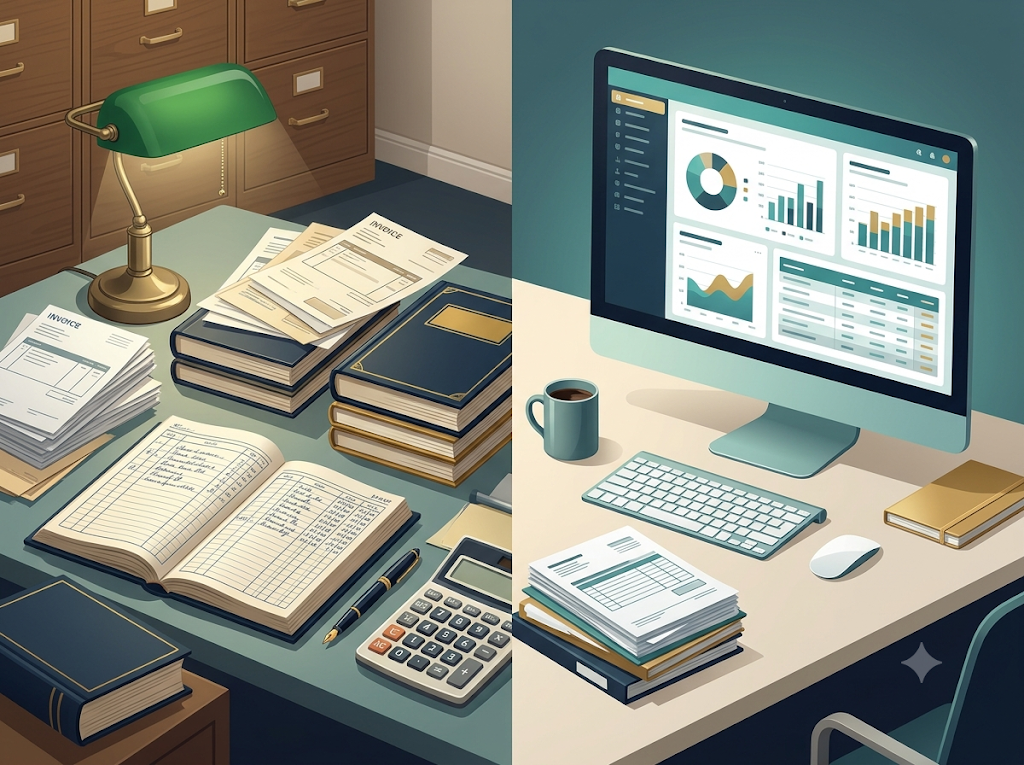
Imagine two accountants working for the same business.
The first accountant records every transaction by hand, adds figures manually, posts entries into ledgers, and prepares financial statements using paper records.
The second accountant enters transactions into accounting software. The software updates relevant records, performs calculations, and helps prepare reports.
Both are doing accounting. But their methods are different.
That difference is the starting point of computerised accounting.
What Is Computerised Accounting?
Computerised accounting is the process of recording, classifying, summarising, and reporting financial transactions with the help of a computer and accounting software.
Instead of depending entirely on handwritten books and manual calculations, a business uses software to process accounting data and maintain financial records.
For example, when a business records a credit sale, suitable accounting software can update the customer’s account, record the sale, and help maintain the relevant financial information.
The exact functions depend on the software and how it has been configured. The accountant must still enter correct information and review the results.
Why Is Computerised Accounting Needed?
As a business grows, its transactions may become too numerous to manage efficiently using only manual methods.
Computerised accounting helps address several practical problems.
1. Faster Processing
Software can perform calculations and process large numbers of transactions quickly. This reduces the time needed for routine accounting work.
2. Improved Accuracy
Automatic calculations reduce many arithmetic errors. However, incorrect entries, unsuitable settings, and software problems can still cause errors.
3. Efficient Record Maintenance
Transactions and financial information can be organised electronically, making records easier to search, update, and retrieve.
4. Quick Preparation of Reports
Accounting software can help prepare reports such as trial balances, cash summaries, outstanding customer balances, and financial statements.
5. Better Decision-Making
Managers can use timely accounting information to understand expenses, monitor sales, review outstanding amounts, and plan business activities.
6. Reduced Repetitive Work
Software can automate routine calculations and certain posting and reporting tasks. This allows accountants to spend more time checking information and analysing results.
7. Easier Information Sharing
Where appropriate permissions and systems are in place, authorised users can access and share accounting information more conveniently.
8. Improved Monitoring and Control
Suitable software can provide transaction histories, access permissions, and audit trails that help users review changes and identify unusual activity.
These benefits depend on proper implementation, security, regular backups, and responsible use.
Manual Accounting vs Computerised Accounting
The difference becomes clearer when both methods are compared.
| Basis | Manual Accounting | Computerised Accounting |
|---|---|---|
| Method | Records are maintained mainly by hand. | Records are maintained using computers and accounting software. |
| Speed | Calculations and posting can take more time. | Many calculations and routine processes are completed quickly. |
| Calculations | Arithmetic is performed manually. | Software performs calculations automatically. |
| Record storage | Often uses physical books and documents. | Uses electronic records, with physical documents where required. |
| Report preparation | Reports may require considerable manual work. | Reports can often be generated quickly from recorded data. |
| Changes and corrections | Corrections may require changes to written records and related totals. | Entries may be edited or reversed according to the software and accounting controls. |
| Initial requirements | May require fewer technological resources. | Requires suitable hardware, software, training, and maintenance. |
| Risk of errors | Handwriting, calculation, and posting errors may occur. | Data-entry, configuration, software, and security errors may occur. |
| Data protection | Physical records need protection from loss and damage. | Electronic records need access controls, backups, and cybersecurity measures. |
Neither method is automatically error-free. Manual accounting can work well for suitable businesses, while computerised accounting becomes particularly useful when transaction volumes, reporting needs, or record-management requirements increase.
Basic Requirements of a Computerised Accounting System
A computerised accounting system needs several essential elements to operate effectively.
1. Hardware
Hardware means the physical equipment used for accounting work, such as computers, monitors, keyboards, storage devices, and printers where needed.
2. Software
Accounting software is required to record transactions, maintain accounts, perform calculations, and prepare reports.
3. Data
The system needs accurate financial data, including transaction dates, amounts, account details, and supporting information.
4. People
Accountants, operators, and other authorised users must understand how to enter, check, and use accounting information.
5. Procedures and Rules
The business needs clear procedures for recording transactions, authorising entries, correcting mistakes, and preparing reports. The software must be configured to follow the business’s accounting requirements.
6. Internal Controls and Security
Access permissions, passwords, transaction checks, and suitable review procedures help protect financial information.
7. Backup and Recovery Arrangements
Backups help restore information if records are lost, damaged, or affected by a technical failure. A backup is most useful when it can actually be restored and is protected from unauthorised access.
8. Training and Maintenance
Users need appropriate training, while the system requires maintenance, updates, and support to remain useful and secure.
Together, these elements help turn accounting software from a simple application into a dependable accounting system.
Applications of Computerised Accounting
Computerised accounting is used in many areas of business.
Recording financial transactions: Sales, purchases, receipts, payments, and other transactions can be entered and organised electronically.
Maintaining ledgers: Software can update relevant accounts based on recorded transactions.
Preparing financial statements: It can help prepare the Trading Account, Profit and Loss Account, and Balance Sheet from the available accounting records, depending on the software and setup.
Managing customers and suppliers: Businesses can monitor amounts receivable from customers and amounts payable to suppliers.
Payroll accounting: Suitable systems can calculate employee payments and maintain payroll records.
Inventory management: Integrated systems can help track stock quantities and related values.
Budgeting and financial analysis: Reports can help businesses compare actual results with budgets and review income and expenses.
Bank reconciliation: Software may help compare recorded bank transactions with bank statements and identify differences requiring investigation.
Tax-related records: Accounting systems can organise financial information needed for tax calculations and reporting, subject to the applicable rules and software capabilities.
A Small Business, Two Methods
Suppose a shop records 200 sales in a day.
With a purely manual system, the shopkeeper may need to calculate totals and update several records by hand.
With suitable accounting software, the shopkeeper can enter the transactions electronically and use the software to calculate totals and generate reports.
But imagine that the shopkeeper enters a sale of ₹5,000 as ₹50,000. The software may process the incorrect figure without an arithmetic error.
That is why computerisation improves efficiency but does not eliminate the need for careful accounting.
Exam-ready takeaway: Computerised accounting uses computers and accounting software to maintain financial records and prepare reports. It improves speed, calculation efficiency, storage, and reporting, but it requires accurate data, suitable hardware and software, trained users, security, and effective internal controls.